
How to Install as a Web App
Learn how to install this website as a web app on your iOS or Android device for quick access and an app-like experience. No app store download needed.
iOS (iPhone/iPad)
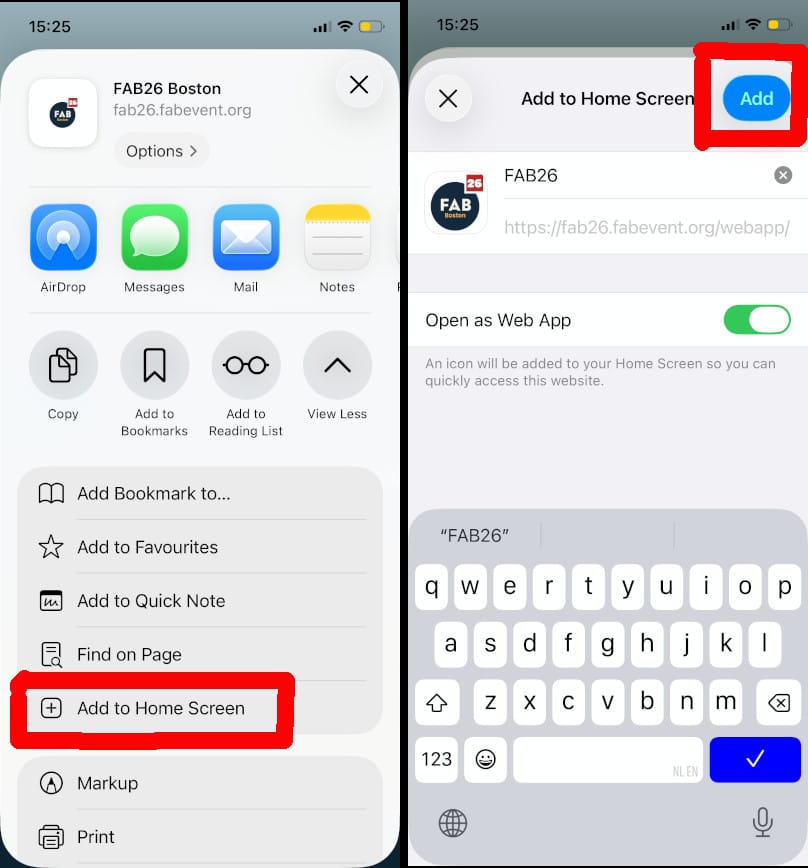
- Open this website in the Safari browser.
- Tap the Share button (square with arrow) at the bottom of the screen
- Find the option "Add to Home Screen"
- Click ADD button, you can edit the name if desired
- The website will now appear on your home screen like any other app
Do not forget to subscribe to push notifications from inside the installed web app.
Android
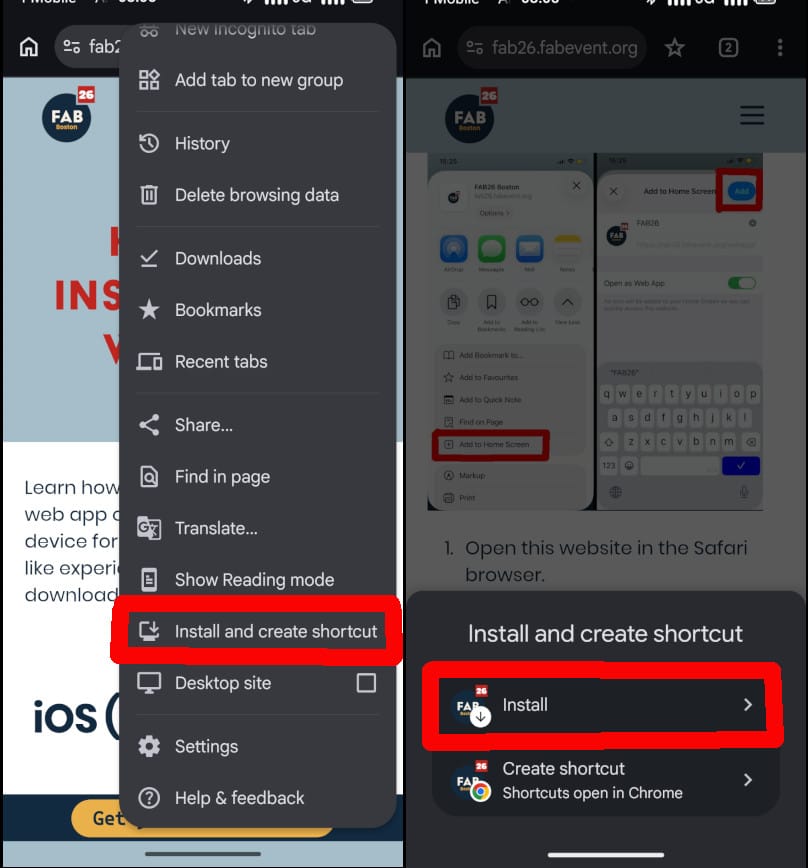
- Open this website in Chrome browser
- Tap the three-dot menu in the top-right corner
- Select "Add to Home screen" or "Install app"
- You can edit the name if desired, then tap "Add" or "Install"
- The website will now appear on your home screen like any other app
Do not forget to subscribe to push notifications from inside the installed web app.